External Power Motherboard:What is an external power motherboard and how does it work?
Q: What is an external power motherboard and how does it work?
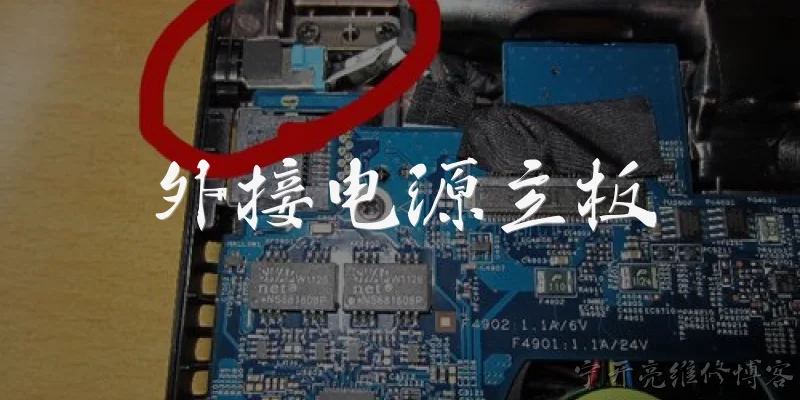
A: An external power motherboard is a specialized circuit board designed to receive power from an external source rather than through the standard ATX power connector. Instead of a built-in 24-pin connector, it uses dedicated input terminals or barrel jacks to accept power from an external power supply, often a 12V or 19V AC-DC adapter. This design is common in mini-ITX builds, industrial computers, and embedded systems where space is limited and a bulky internal PSU is impractical. When you connect the external adapter, the motherboard's power circuitry regulates the incoming voltage and distributes it to components such as the CPU, RAM, and expansion slots. Many external power motherboards also include DC-DC converters to step down the input voltage to the lower voltages required by sensitive components. This setup simplifies cabling, reduces heat inside the chassis, and allows for quieter operation since the power conversion happens outside the case.
Q: What are the benefits of using an external power motherboard in a PC build?
A: Using an external power motherboard offers several advantages, especially for compact or specialized builds. First, it eliminates the need for a large internal power supply, freeing up significant space inside the chassis. This is ideal for mini-ITX, thin mini-ITX, or custom enclosures where every millimeter counts. Second, because the power adapter sits outside the case, heat generated during AC-DC conversion is kept away from the motherboard and other components, resulting in lower internal temperatures and potentially longer component lifespan. Third, external power motherboards often support a wide input voltage range, making them versatile for automotive, industrial, or portable applications. Fourth, they can reduce cable clutter and simplify assembly, as you only need to connect a single external brick instead of routing multiple internal power cables. Finally, these boards are often more energy-efficient at low loads, which is beneficial for always-on systems like home servers or digital signage players.
Q: What should I consider when choosing an external power motherboard?
A: When selecting an external power motherboard, several factors are critical. First, check the input voltage and connector type: ensure the board matches your available power adapter, whether it's 12V, 19V, or a wide-range 6-36V DC input. Second, verify the power rating—the board must supply enough wattage for your CPU, RAM, storage, and peripherals. A typical mini-ITX board might need 60-120W, so choose an adapter with headroom. Third, consider the form factor and mounting options; external power boards often come in mini-ITX, Pico-ITX, or custom shapes, so ensure it fits your case. Fourth, look for protection features like overvoltage, overcurrent, and reverse polarity protection to safeguard your components. Fifth, examine the available ports and expansion slots: some boards sacrifice PCIe or SATA ports to save space. Finally, check compatibility with your CPU socket and chipset, and read reviews about reliability and thermal performance. A well-chosen board will balance power delivery, size, and features for your specific use case.
Q: Can I convert a standard ATX motherboard to use external power?
A: Yes, you can convert a standard ATX motherboard to use external power, but it requires additional hardware. The most common solution is a DC-DC ATX power supply, often called a PicoPSU or a DC-DC converter board. These small modules plug into the motherboard's 24-pin and 4/8-pin CPU power connectors and accept a single DC input from an external adapter. The PicoPSU steps down the voltage and provides all the necessary rails (3.3V, 5V, 12V, etc.) that the motherboard expects. However, you must ensure the external adapter can deliver enough current for your entire system—gaming rigs with high-end GPUs may need 300W or more, requiring a bulky adapter. Also, consider that the PicoPSU itself has limited power handling, often up to 160W for common models. For higher loads, you might need a more robust DC-DC converter. Additionally, you'll need to manage the power button and standby power, which some PicoPSUs handle natively. Overall, it's a feasible modification for low-to-moderate power systems, but not ideal for high-performance builds.
Words of experience
Common scenarios of "External Power Motherboard"
【Customer Support】 Hello! Thank you for contacting Tech Solutions. How can I assist you today?
【Customer】 Hi, I'm building a new PC and I'm a bit confused about external power motherboards. Can you explain what they are?
【Customer Support】 Of course! An external power motherboard is a type of motherboard that receives power from an external power supply unit (PSU) rather than having power components integrated on the board itself. This allows for more flexibility in power delivery and can support higher-end components.
【Customer】 I see. So what are the advantages of using an external power motherboard?
【Customer Support】 The main advantages include better cooling since power components are separate, easier upgrades because you can swap the PSU without changing the motherboard, and often more stable power delivery for overclocking.
【Customer】 That sounds useful. Are there any disadvantages?
【Customer Support】 Yes, some disadvantages are that they can be more expensive, require more space in the case, and may have compatibility issues with certain PSUs. Also, cable management can be more challenging.
【Customer】 Okay, what should I look for when choosing an external power motherboard?
【Customer Support】 You should consider the power connector type (like ATX12V or EPS), the maximum power rating, compatibility with your CPU and GPU, and the form factor that fits your case.
【Customer】 Can you recommend a specific model for a gaming PC with a high-end GPU?
【Customer Support】 For high-end gaming, the ASUS ROG Maximus Z690 Extreme Glacial is a great choice. It has robust external power delivery and supports the latest Intel CPUs. For AMD, the ASUS ROG Crosshair X670E Extreme is excellent.
【Customer】 Those sound good. What about the power supply? Do I need a special one?
【Customer Support】 You'll need a PSU that matches the motherboard's power connectors. Most high-end PSUs come with multiple EPS connectors. Make sure the wattage is sufficient for your components, typically 850W or higher for high-end GPUs.
【Customer】 I have a 1000W PSU with two EPS connectors. Will that work?
【Customer Support】 Yes, that should work perfectly. Just ensure the connectors are compatible with the motherboard's headers. Check the motherboard manual for specific requirements.
【Customer】 Great! One more thing: how do I connect everything properly?
【Customer Support】 First, mount the motherboard in the case. Then connect the 24-pin ATX power cable from the PSU to the motherboard. Next, connect the 8-pin or 4+4 pin EPS cables to the CPU power headers. Finally, connect any additional power cables for PCIe devices. Always refer to the manual for exact locations.
【Customer】 Thanks for the detailed explanation. I feel more confident now.
【Customer Support】 You're welcome! If you have any more questions, feel free to ask. Good luck with your build!
【Customer】 Will do. Have a great day!