Motherboard diagnostic card 2b:What does the 2b code on a motherboard diagnostic card mean?
Q: What does the 2b code on a motherboard diagnostic card mean?
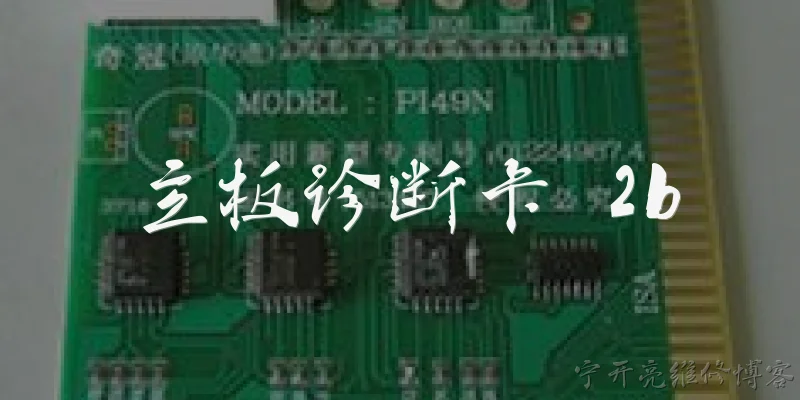
A: The 2b POST code on a motherboard diagnostic card is generated during the early initialization phase of the BIOS/UEFI. Its exact meaning depends on the BIOS vendor, but in most AMI BIOS implementations, 2b typically indicates that the system is initializing or programming the memory controller hub (Northbridge) or performing memory timing configuration. In some cases, it points to a stall in memory detection or SPD reading. If the card consistently stops at 2b, it usually signals a problem with RAM compatibility, faulty memory modules, incorrect memory slot population, or an issue with the CPU's integrated memory controller. To resolve it, first verify that the RAM is seated properly and matches the motherboard's QVL. Try a single stick in the primary slot, clear CMOS to reset BIOS settings, and ensure the CPU is supported by the installed BIOS version. If the code persists after these steps, test with known-good memory or update the BIOS. Since 2b is often a transient code, check whether it hangs for more than a few seconds before treating it as an error.
Q: How can I troubleshoot a system that hangs at diagnostic card code 2b?
A: To troubleshoot a hang at code 2b, begin by isolating the memory subsystem. Power off and unplug the system, then reseat the CPU and check for bent socket pins. Install a single memory module in the slot recommended by the motherboard manual, preferably a known-working stick from another system. Clear the CMOS by removing the battery or using the jumper for 30 seconds, then retry. If the system posts, add modules one at a time to identify a faulty stick. Also confirm the memory voltage and timings are set correctly, or try booting with XMP/EXPO disabled. A BIOS update may be necessary if the CPU or RAM is newer than the board's firmware. If the code still stops at 2b, test the PSU for stable voltages on the 24-pin and 8-pin CPU connectors, and inspect for capacitor damage near the memory slots. In rare cases, a faulty motherboard or CPU memory controller causes this code, so swapping components with a known-good system is the definitive test. Keep notes on each change to avoid confusion.
Q: Does the 2b code differ across BIOS brands like AMI, Award, or Phoenix?
A: Yes, the meaning of POST code 2b varies significantly between BIOS vendors because each uses its own checkpoint system. In AMI BIOS, 2b is often associated with memory initialization or Northbridge activities, but the exact wording depends on the version and board manufacturer. Award BIOS typically uses a different numbering scheme, and 2b may not even appear as a standard code; it could be a manufacturer-specific checkpoint. Phoenix BIOS, especially its newer iterations, uses a completely different code structure, so 2b would not have the same meaning. Additionally, motherboard vendors like ASUS, Gigabyte, and MSI sometimes customize these codes, making 2b board-specific. Therefore, always consult the diagnostic card's manual and the motherboard user guide for the correct interpretation. If the card lacks documentation, searching online with the exact board model and BIOS version is the most reliable way to decode 2b. Never assume the code means the same thing across different systems.
Dialogue about
Common scenarios of "Motherboard diagnostic card 2b"
【Technician】 Hi, I'm having trouble with a motherboard diagnostic card showing code 2b. Can you help?
【Support】 Sure, I can help. Code 2b typically indicates a memory initialization issue or a problem with the memory controller. What motherboard model are you working with?
【Technician】 It's an ASUS P8Z77-V LX. I've tried different RAM sticks but still get 2b.
【Support】 Have you checked if the RAM is seated properly and in the correct slots? Sometimes 2b appears if the memory isn't detected.
【Technician】 Yes, I've reseated them multiple times. I even tried one stick in each slot.
【Support】 That rules out simple seating issues. Have you cleared the CMOS? Sometimes corrupted BIOS settings can cause this.
【Technician】 I cleared CMOS by removing the battery for 10 minutes. No change.
【Support】 What about the CPU? Have you checked for bent pins in the socket? Memory controller is on the CPU.
【Technician】 I checked the socket, pins look fine. I also tried a different CPU, same code.
【Support】 Interesting. Could be a faulty motherboard. But before concluding that, let's check the power supply. Are voltages stable?
【Technician】 PSU is a Corsair 750W, about a year old. I don't have a tester, but it powers other boards fine.
【Support】 Okay. Have you tried updating the BIOS? Sometimes newer BIOS versions fix memory compatibility.
【Technician】 The board has the latest BIOS already. I checked on ASUS website.
【Support】 Then it's likely a hardware failure on the motherboard, specifically the memory slot or the traces. Do you see any physical damage?
【Technician】 No visible damage. But I noticed the diagnostic card sometimes shows 2b, sometimes 2a. Does that matter?
【Support】 2a and 2b are related; 2a is earlier in memory init. It might indicate intermittent detection. Could be a cold solder joint.
【Technician】 So is the board repairable? Or should I just replace it?
【Support】 If it's under warranty, RMA it. Otherwise, repair might cost more than a replacement. But you could try a different brand of RAM known to work with that board.
【Technician】 I'll try some Corsair Vengeance RAM that's on the QVL. If that fails, I'll RMA.
【Support】 Sounds like a plan. Let me know if you need further assistance. Good luck!