Microwave timer not turning:What should I do if my microwave timer is not turning or counting down?
Q: What should I do if my microwave timer is not turning or counting down?
A: If your microwave timer is not turning or counting down, start by checking the most common cause: the door interlock switches. The timer will not start unless the microwave detects that the door is securely closed. Open and close the door firmly and listen for a click. If that does not help, inspect the door latch for damage or misalignment. Next, test the control panel. Press a simple function like the clock or a preset button to see if the keypad responds. If the display works but the timer remains frozen, the issue may be the control board or the timer relay. Unplug the microwave for one minute to reset the electronics, then plug it back in and try again. If the timer still does not turn, the problem could be a faulty touchpad membrane or main control board. In many microwaves, these components are integrated, so replacement may be necessary. Always unplug the unit before any inspection. If you are not comfortable working with electrical components, contact a qualified appliance technician.
Q: Why does my microwave timer freeze and not count down after I press start?
A: A frozen timer that does not count down after pressing Start usually points to a communication failure between the keypad and the main control board. The microwave receives the start signal but fails to initiate the timing sequence. This can happen if the touchpad ribbon connector is loose or corroded. Another common cause is a defective door switch. Even if the microwave light turns on and the turntable spins, one of the three interlock switches may have failed, preventing the timer from advancing. You can test this by listening for a click when you close the door; if no click is heard, a switch may be stuck. Additionally, power fluctuations can cause the microprocessor to lock up. Unplug the microwave for at least two minutes to allow the capacitors to discharge, then plug it back in. If the timer still freezes, the main control board is likely faulty. Replacing the control board often resolves the issue, but it can be expensive. For older microwaves, replacement may be more cost-effective than repair.
Q: Can a faulty door switch cause the microwave timer to not turn?
A: Yes, a faulty door switch is one of the most frequent reasons a microwave timer fails to turn or count down. Microwaves typically have three interlock switches: a primary, a secondary, and a monitor switch. These switches work together to ensure the door is closed and the unit is safe to operate. If any of these switches fails, the control board will not receive the signal that the door is closed, and the timer will not start. You might hear the microwave hum or see the light come on, but the countdown will remain stuck. To test the switches, you will need a multimeter. Unplug the microwave, remove the outer casing, and locate the switches near the door latch. Check for continuity in the closed position. If a switch shows no continuity or is stuck, it must be replaced. Replacing a door switch is a relatively inexpensive repair and can be done by a handy homeowner. However, if you are unsure, always call a professional to avoid electrical shock hazards.
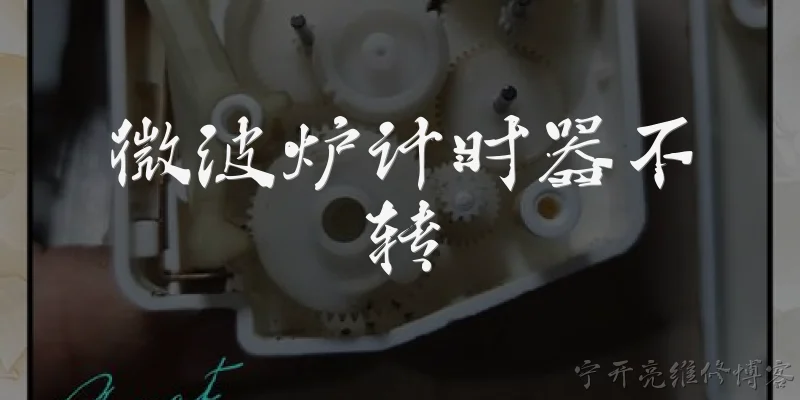
Words of experience
Common scenarios of "Microwave timer not turning"
【Customer】 Hi, I'm having an issue with my microwave. The timer isn't turning, so it doesn't start when I set it.
【Support Agent】 Hello! I'm sorry to hear about your microwave issue. Let's troubleshoot. Can you tell me the brand and model of your microwave?
【Customer】 It's a GE JES1145SH, about 2 years old.
【Support Agent】 Thanks. Does the display show anything when you try to set the timer, or is it completely blank?
【Customer】 The display works fine. I can see the time and press the buttons, but the timer dial doesn't move and the microwave doesn't start.
【Support Agent】 I see. Is this a mechanical dial timer or a digital one? You mentioned a timer dial, so I'm assuming it's a dial.
【Customer】 Yes, it's a mechanical dial. When I turn it, it doesn't click or move the timer.
【Support Agent】 Okay. First, let's try a simple reset: unplug the microwave for 1 minute, then plug it back in and try the timer again.
【Customer】 I already tried that. It didn't help.
【Support Agent】 Alright. Does the microwave heat at all when you turn the dial, even if the timer doesn't move? For example, does the light come on and the turntable spin?
【Customer】 No, nothing happens. The light doesn't come on, and the turntable doesn't spin.
【Support Agent】 So the microwave isn't receiving power to the high-voltage circuit. This could be a door switch issue, a faulty timer, or a problem with the control board. Have you checked if the door closes properly and engages the safety switches?
【Customer】 The door seems to close fine, but I'm not sure about the switches. How can I check?
【Support Agent】 You can test the door switches with a multimeter, but that requires disassembling the microwave, which can be dangerous due to high voltage. I recommend having a professional technician check it. However, before that, let's ensure the outlet is working. Have you tried plugging something else into the same outlet?
【Customer】 Yes, the outlet works with other appliances.
【Support Agent】 Then it's likely an internal issue. Since it's a mechanical timer, the timer motor might have failed. That would prevent the timer from turning and also stop the microwave from starting. Replacing the timer could fix it.
【Customer】 Is that something I can replace myself? I'm handy with repairs.
【Support Agent】 It's possible, but you must discharge the capacitor first to avoid electric shock. If you're not experienced with microwave repairs, I strongly advise hiring a technician. Safety first.
【Customer】 I understand. I'll look for a local technician. Thanks for your help.
【Support Agent】 You're welcome! If you need a referral, I can help find authorized service centers in your area. Just let me know your zip code.