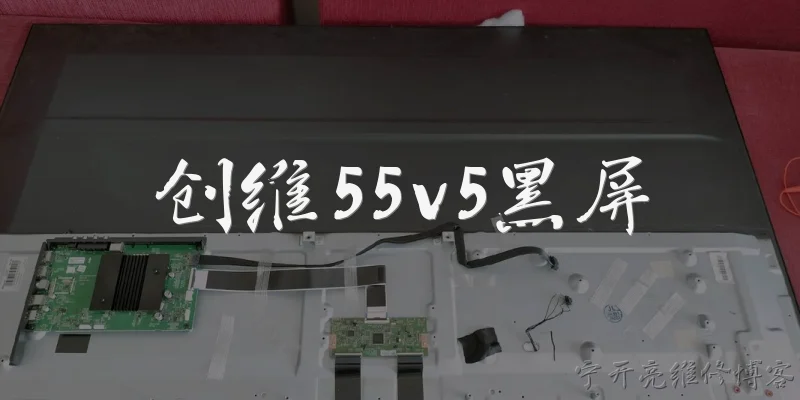
LED46B1000C black screen:Why does my Skyworth LED46B1000C show a black screen but still have sound?
Q: Why does my Skyworth LED46B1000C show a black screen but still have sound?
A: A black screen with working sound on the Skyworth LED46B1000C usually points to a backlight or panel driver problem rather than a mainboard failure, since audio is processed separately. The most common cause is a failed LED backlight strip or an open connection in the backlight circuit. When one or more LEDs fail, the driver board detects an over-voltage or over-current condition and shuts down the backlight to protect the panel, leaving the screen black while the TV continues to output sound. Other possibilities include a faulty inverter/driver board, a loose ribbon cable between the T-Con board and the panel, or a degraded power supply that cannot sustain the backlight voltage. To diagnose, shine a flashlight at the screen at a slight angle in a dark room. If you can faintly see the menu or image, the panel and T-Con are working and the backlight is the culprit. If you see nothing at all, the T-Con board or panel itself may have failed. Testing backlight voltage with a multimeter can confirm whether the driver board is supplying power, and replacing the backlight strips or driver board typically resolves the issue.
Q: How can I troubleshoot a black screen on my LED46B1000C before replacing parts?
A: Before buying replacement parts for your LED46B1000C, perform a few simple checks to narrow down the fault. First, confirm the TV is actually on by pressing the power button and listening for the startup chime or checking if the standby light changes color. Next, do the flashlight test: in a dark room, shine a bright flashlight close to the screen. If you can see a faint picture, the mainboard, T-Con, and panel are functioning, and the backlight system is at fault. If there is no image at all, the issue may be the T-Con board, the mainboard, or the panel. Then, check all cable connections. Reseat the LVDS cable between the mainboard and T-Con board, and the ribbon cables between the T-Con and the panel. A loose or oxidized connector can cause a black screen. Also inspect the power supply board for bulging capacitors or burn marks. If you have a multimeter, measure the backlight voltage at the driver board connector; a reading that spikes and then drops to zero indicates the protection circuit is tripping due to a bad LED. Finally, try a factory reset or firmware update if the TV menu is accessible via the flashlight method, as corrupted settings rarely cause a total black screen but are worth ruling out.
Q: Is it worth repairing a Skyworth LED46B1000C with a black screen, or should I replace the TV?
A: Whether to repair or replace your Skyworth LED46B1000C depends on the cause and your budget. If the black screen is due to a failed backlight strip, replacement LED strips are inexpensive, usually under $30, and the repair is straightforward for someone with basic soldering skills. A faulty driver board or T-Con board costs around $20 to $50, making repair economically sensible. However, if the panel itself is damaged, such as a cracked screen or failed gate drivers on the glass, replacement panels are rarely available and cost more than a new TV. Since the LED46B1000C is an older 46-inch 1080p model, spending more than $80 to $100 on professional repair may not be worthwhile when a new 4K TV of similar size can be purchased for $200 to $300. Consider the TV's age, your satisfaction with its picture quality, and whether you can DIY the repair. If you are handy and the fault is in the backlight or a board, repairing is a good option. If you must pay a technician and the cost approaches half the price of a new set, replacing the TV is the more practical choice.

Dialogue about
Common scenarios of "LED46B1000C black screen"
【Customer】 Hi, I'm having a problem with my Haier LED46B1000C TV. The screen is completely black, but I can still hear sound. Any idea what's going on?
【Support Agent】 Hello! I'm sorry to hear about the black screen issue. Let's troubleshoot. Can you confirm the model number is LED46B1000C?
【Customer】 Yes, that's correct. It's a Haier LED46B1000C.
【Support Agent】 Thanks. Have you tried checking the backlight? In a dark room, shine a flashlight on the screen. Do you see a faint image?
【Customer】 I just tried that. Yes, I can see a very dim picture when I shine a light. So the backlight is probably out, right?
【Support Agent】 Exactly. That indicates the backlight is failing. Could be the power board, inverter, or LED strips. Is the TV still under warranty?
【Customer】 I bought it about 3 years ago, so probably out of warranty.
【Support Agent】 In that case, you might need a professional repair. But first, let's try a few simple steps. Unplug the TV for 5 minutes, then plug it back in and turn it on. Does the screen come on?
【Customer】 I already did that earlier. No change. Still black.
【Support Agent】 Okay. Have you tried a different input source, like HDMI or AV? Sometimes a faulty source can cause a black screen.
【Customer】 Yes, I switched to a different HDMI port and also tried the built-in apps. Sound works but no picture.
【Support Agent】 That rules out source issues. The problem is likely hardware. Do you hear any clicking sounds when you turn it on?
【Customer】 Actually, yes, there's a faint click when I press the power button, but then nothing.
【Support Agent】 That click could be the relay on the power board. It might be a power supply issue. Have you checked if the red standby light is on?
【Customer】 The standby light is on, but when I turn it on, it goes off and the screen stays black.
【Support Agent】 That suggests the main board is getting power but the backlight driver isn't. Could be a faulty LED strip or inverter board. Do you feel comfortable opening the TV to check?
【Customer】 I'd rather not open it myself. Can you recommend a repair service?
【Support Agent】 Of course. You can contact Haier support for authorized service centers, or search for local TV repair shops. The repair usually costs around $100-$200 depending on parts.
【Customer】 Okay, I'll look into that. Is there any temporary workaround to get a picture?
【Support Agent】 Unfortunately, no permanent workaround. You could try using an external monitor via HDMI if you need a display, but the TV itself needs repair.
【Customer】 Alright, thanks for your help. I'll contact a repair shop.
【Support Agent】 You're welcome! I hope it gets fixed soon. If you have any other questions, feel free to ask. Have a great day!