LCD TV backlight not working:Why is the backlight on my LCD TV not working?
Q: Why is the backlight on my LCD TV not working?
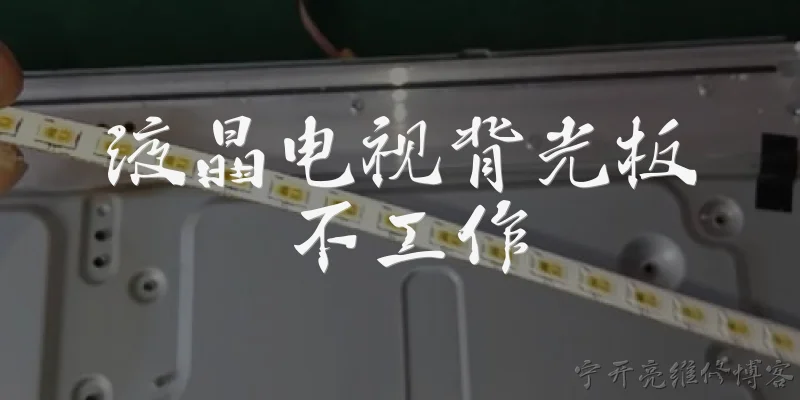
A: The backlight in an LCD TV is responsible for illuminating the liquid crystal display, which itself does not emit light. When the backlight fails, you may still see a faint image if you shine a flashlight on the screen, but the TV appears dark. Common causes include a failed power supply board, which may not be delivering the correct voltage to the backlight inverter or LED driver. Another frequent culprit is the backlight inverter board in older CCFL-based TVs, or the LED driver board in newer LED TVs. Over time, capacitors on these boards can bulge or leak, leading to insufficient power. Additionally, individual LEDs or CCFL bulbs can burn out, causing the entire backlight string to fail because they are wired in series. A faulty main board can also send incorrect signals to the backlight circuit. Finally, loose or damaged ribbon cables or connectors between the power board and the backlight can interrupt power. Diagnosing the exact cause requires some electronics knowledge and a multimeter, but checking for visible capacitor damage and testing voltages is a good start.
Q: How can I troubleshoot an LCD TV backlight that is not working?
A: To troubleshoot a non-working LCD TV backlight, start by unplugging the TV and removing the back cover. Inspect the power supply board for bulging or leaking capacitors, burn marks, or loose connections. If you have a multimeter, check the voltage output to the backlight circuit; compare it to the specifications printed on the board or in the service manual. For LED backlights, you can test individual LEDs with a LED tester or a multimeter in diode mode, but this requires disassembling the panel, which is risky. In CCFL TVs, look for darkened ends on the fluorescent tubes, indicating burnout. You can also try the flashlight test: turn on the TV in a dark room and shine a flashlight at the screen. If you see a faint image, the backlight is definitely the problem. Another step is to check the backlight inverter or driver board for a blown fuse or faulty components. If you're not comfortable working with high voltages, it's safer to replace the entire power board or inverter board as a unit, as these are often inexpensive and easy to swap. Always discharge capacitors before handling boards.
Q: Can I repair an LCD TV with a broken backlight, or should I replace the TV?
A: Whether to repair or replace an LCD TV with a broken backlight depends on the TV's age, cost of repair, and your DIY skills. If the TV is relatively new and high-end, repairing the backlight is often worthwhile. Common fixes include replacing the power supply board, inverter board, or LED driver board, which typically cost $20–$60 and are easy to swap with basic screwdriver skills. However, if individual LEDs or CCFL tubes are burned out, the repair becomes more involved, requiring panel disassembly, which is delicate and time-consuming. In that case, a professional repair might cost $150–$300, which could exceed the TV's value if it's several years old. For older or budget TVs, replacing the TV may be more cost-effective, especially considering newer models offer better energy efficiency and features. If you're handy with electronics, DIY repair can be satisfying and cheap. Otherwise, compare the repair quote to a new TV's price. Also, consider that a backlight failure often indicates other aging components, so future failures are possible. Ultimately, if the TV is under warranty, seek professional service first.
Dialogue about
Common scenarios of "LCD TV backlight not working"
【Customer】 Hi, I'm having an issue with my LCD TV. The screen is very dark, and I can barely see any image. I think the backlight might be out.
【Support Agent】 Hello! I'm sorry to hear about your TV issue. Let's troubleshoot this together. Can you confirm the model number of your TV?
【Customer】 It's a Samsung UN55RU8000. About two years old.
【Support Agent】 Thanks. When you turn on the TV, do you see a faint image if you shine a flashlight on the screen?
【Customer】 Yes, actually! If I use my phone flashlight, I can see the menu faintly. So the picture is there, just no backlight.
【Support Agent】 That confirms the backlight is likely the problem. Have you checked if the TV's power indicator is on and if you hear any sound?
【Customer】 Yes, the red standby light turns off when I power on, and I can hear sound from the speakers. So the TV is on, just no backlight.
【Support Agent】 Okay. Could you try adjusting the backlight settings in the menu? Sometimes it can be accidentally set to zero.
【Customer】 I tried that. I went into Picture settings and increased the backlight to max, but nothing changed. Still dark.
【Support Agent】 That suggests a hardware failure. Have you tried unplugging the TV for a few minutes and plugging it back in?
【Customer】 Yes, I unplugged it for 10 minutes and plugged it back. No difference.
【Support Agent】 In that case, the issue could be with the backlight LEDs, the power board, or the main board. Do you have a multimeter to test voltages?
【Customer】 I don't have a multimeter, and I'm not comfortable opening the TV. Is there anything else I can try?
【Support Agent】 Without testing, it's hard to pinpoint. But since the TV is only two years old, it might still be under warranty. Did you purchase it with a credit card that offers extended warranty?
【Customer】 I bought it with my Visa, which adds an extra year of warranty. So it might still be covered.
【Support Agent】 Great! I recommend contacting Samsung support or the retailer where you bought it. They can arrange a repair or replacement.
【Customer】 Okay, I'll do that. But if it's not covered, what are my options?
【Support Agent】 If not covered, you could take it to a repair shop. A backlight repair typically costs $150-$300, depending on the model. Sometimes it's more cost-effective to replace the TV.
【Customer】 That makes sense. Thanks for your help. I'll check the warranty first.
【Support Agent】 You're welcome! I hope it gets resolved quickly. If you need further assistance, feel free to reach out. Have a great day!