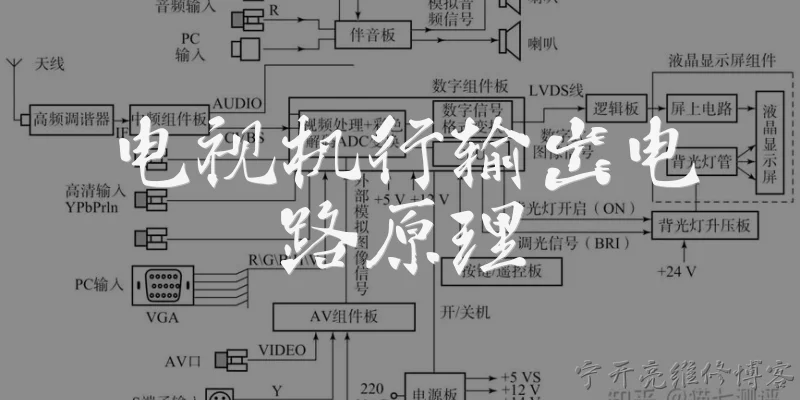
TV power fuse:What is a TV power fuse and why does it blow in 2026 smart TVs?
Q: What is a TV power fuse and why does it blow in 2026 smart TVs?
A: A TV power fuse is a small safety component, typically a glass or ceramic cartridge rated between 2A and 5A, sitting on the main power supply board just after the AC inlet. Its job is to break the circuit when current spikes beyond safe limits, protecting the power board, capacitors, and panel driver ICs from catastrophic damage. In 2026, modern smart TVs with always-on Wi-Fi modules, OLED/QLED backlight drivers, and higher-efficiency GaN power supplies are more sensitive to grid instability than older sets. Common reasons the fuse blows include a shorted bridge rectifier, a failed NTC thermistor, degraded electrolytic capacitors after years of heat exposure, or a lightning-induced surge through the coax or HDMI cable. It's worth noting that in most 2026 models the fuse is soldered directly to the board rather than socketed, and manufacturers often pair it with a metal-oxide varistor so the fuse sacrifices itself during a surge. If your TV is completely dead with no standby LED, a blown fuse is a strong suspect, but you should never simply replace it without checking the downstream components first, because a new fuse will blow again if the real fault remains. Always unplug the TV and discharge the bulk capacitors before testing with a multimeter.
Q: How do I safely test and replace a blown power fuse in my TV in 2026?
A: Start by unplugging the TV and waiting at least 15 minutes so the primary capacitors can discharge; on some 2026 models the bulk caps hold over 380V DC and can deliver a dangerous shock. Remove the back cover and locate the power supply board, usually identified by the AC cord connector. The fuse is a small cylindrical component near the AC inlet, often marked F1 or F101. Set your multimeter to continuity or resistance mode and probe both ends; a good fuse reads near 0 ohms, while a blown one reads infinite. If it's blown, do not just swap it. Check the bridge rectifier, main switching MOSFET, and any visibly bulging capacitors for shorts, since these are the usual root causes. For replacement, match the exact rating printed on the fuse body, such as T4A 250V, because using a higher amperage defeats the protection. If the fuse is soldered, use a desoldering pump and lead-free solder with a temperature around 350°C. After replacement, plug the TV into a surge protector and test. If it blows again immediately, stop and consult a qualified technician, as you likely have a shorted component that a DIY fix cannot safely resolve.
Q: Can I replace a TV power fuse with a higher-rated one in 2026 models?
A: No, you should never install a higher-rated fuse than the original specification in any TV, including 2026 models. The fuse rating, such as 3.15A 250V, is carefully matched to the wire gauge, trace width, and component tolerances of that specific power supply design. Upgrading to, say, a 5A fuse might seem like a quick fix, but it defeats the entire protection scheme. If a fault occurs, the oversized fuse won't blow in time, allowing excessive current to overheat the PCB, melt traces, or ignite nearby plastic, creating a genuine fire hazard. This is why manufacturers use time-lag fuses with precise breaking capacity. In 2026, many premium TVs also integrate resettable PPTC devices or e-fuses on the secondary side, but the primary AC fuse remains a one-time sacrificial part that must match exactly. Some people try wrapping the fuse in foil or bypassing it entirely, which is extremely dangerous. If you cannot find the exact fuse locally, order it from a reputable electronics supplier rather than substituting. Also remember that repeated fuse blowing indicates an underlying fault like a shorted diode or MOSFET, so the correct approach is diagnosis, not a bigger fuse. When in doubt, have a certified technician handle the repair.
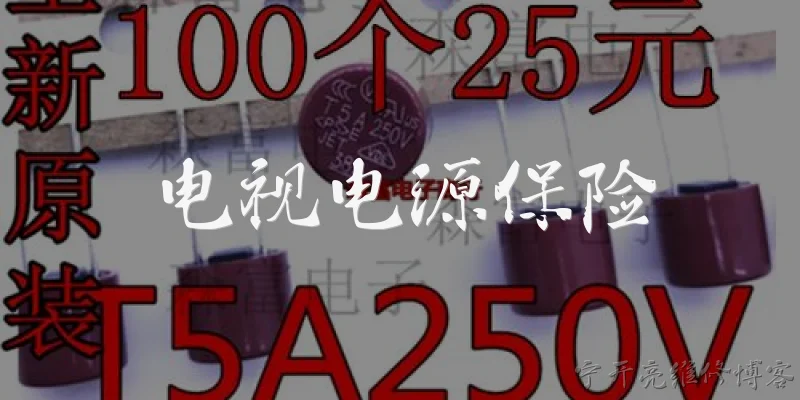
Dialogue about
Common scenarios of "TV power fuse"
【Customer】 Hi, my TV just won't turn on. I think it might be a fuse issue. Can you help?
【Technician】 Hello! I can help with that. When you say it won't turn on, do you mean there's no power at all, no standby light?
【Customer】 Right, no standby light, nothing. I checked the outlet with another device and it works.
【Technician】 Okay, that points to an internal power issue. The first thing to check is the main fuse inside the TV.
【Customer】 Is that something I can replace myself? I'm handy with a screwdriver.
【Technician】 It's possible, but you need to be very careful. TVs can hold dangerous voltages even when unplugged. Do you have a multimeter?
【Customer】 Yes, I have a basic multimeter. How do I test the fuse?
【Technician】 First, unplug the TV and wait a few minutes. Then open the back cover and locate the power supply board. The fuse is usually a small glass cylinder near where the power cord connects.
【Customer】 Found it. It's a glass fuse with a wire inside. How do I test it?
【Technician】 Set your multimeter to continuity or resistance mode. Touch the probes to both ends of the fuse. If it reads near 0 ohms, it's good. If it reads infinite, it's blown.
【Customer】 I'm getting no reading, so it's blown. What now?
【Technician】 You'll need to replace it with the same rating. Look for markings like 'T5A 250V' or similar. Never use a higher rating.
【Customer】 It says T4A 250V. Can I use a 5A fuse instead?
【Technician】 No, always use the exact same rating. A higher amp fuse can cause a fire hazard. Get a T4A 250V fuse.
【Customer】 Okay, I'll order the correct one. But why did it blow in the first place?
【Technician】 Could be a power surge, or it might indicate a deeper problem like a shorted component. If the new fuse blows immediately, there's a fault.
【Customer】 I see. If that happens, what should I do?
【Technician】 Then you'll need to diagnose the power supply board. Check for shorted diodes, capacitors, or transistors. That requires more advanced skills.
【Customer】 I might just replace the fuse and see. If it blows again, I'll call a professional.
【Technician】 That's a wise approach. Be safe and unplug before soldering. If you're unsure, don't risk it. Good luck!